Leave Your Message

What Is an LED Display Screen and How Does It Work?

An LED Display Screen is a digital surface built from thousands of light-emitting diodes. Each diode produces red, green, or blue light. Together, these colors create images, video, text, and motion. Pixels do the work.

Behind the visible panel, a sending card delivers digital signals to receiving cards. Driver integrated circuits then control each diode’s brightness and timing. A camera sees a smooth image when the screen refreshes rapidly. Human eyes blend the individual flashes into continuous movement. Pixel pitch matters greatly. A 2.5-millimeter pitch suits closer viewing, while a 10-millimeter pitch may fit roadside advertising. Brightness, contrast, viewing angle, heat, and weather protection also shape real performance.

Industry data shows why this technology continues expanding. Grand View Research’s LED Display Market Size, Share and Trends Analysis Report estimates the global market at about USD 7.5 billion in 2023. It also forecasts strong growth through 2030. MarketsandMarkets links demand to outdoor advertising, stadiums, retail spaces, transportation, and control rooms. These reports offer useful direction, not absolute certainty. Market definitions and regional pricing differ.

A screen is never only a collection of lamps. It is an engineered system.

In practice, installation quality can matter as much as advertised specifications. Poor calibration may produce uneven colors. Inadequate ventilation can shorten component life. Excessive brightness can waste energy and reduce viewer comfort. This guide explains how an LED Display Screen works, what its internal parts do, and which technical specifications deserve careful evaluation. Some claims sound impressive. They still require testing.
What Is an LED Display Screen and How Does It Work?

What Is an LED Display Screen?

An LED display screen is an electronic visual surface made from many light-emitting diodes. Each tiny diode acts as a controlled light source. Groups of red, green, and blue diodes form pixels. Thousands or millions of pixels create text, images, and video. The screen is usually assembled from small modules. It is modular. These modules connect to cabinets, power supplies, and control cards. A sending system receives digital content and distributes timing data to the display. Drivers then adjust each diode’s current, color, and brightness. This structure makes large-format screens practical, because technicians can replace one module instead of removing the entire surface. From site inspections, I have learned that pixel pitch matters immediately. A fine pitch looks sharper at close range. A wider pitch can suit distant viewers.

LED screens appear in meeting rooms, transport halls, retail spaces, and outdoor venues. Indoor models often use lower brightness and tighter pixel spacing. Outdoor models need stronger weather protection, higher brightness, and careful heat management. Brightness alone does not define quality. Stable color, refresh rate, viewing angle, and grayscale performance also affect what people see. A camera may show dark bands when refresh performance is poor. That detail is easy to miss in person. Installation also changes the result. Direct sunlight, poor ventilation, and loose connections can shorten service life. In my experience, calibration is not a one-time task; aging diodes may slowly shift color. Some specifications look impressive on paper, yet the actual image feels uneven. Testing reveals gaps. A screen should be judged from the real viewing distance, under the real lighting conditions.
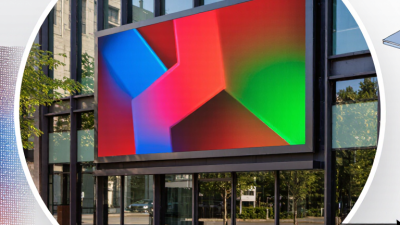
What Are the Main Components of an LED Display?

What Is an LED Display Screen and How Does It Work?

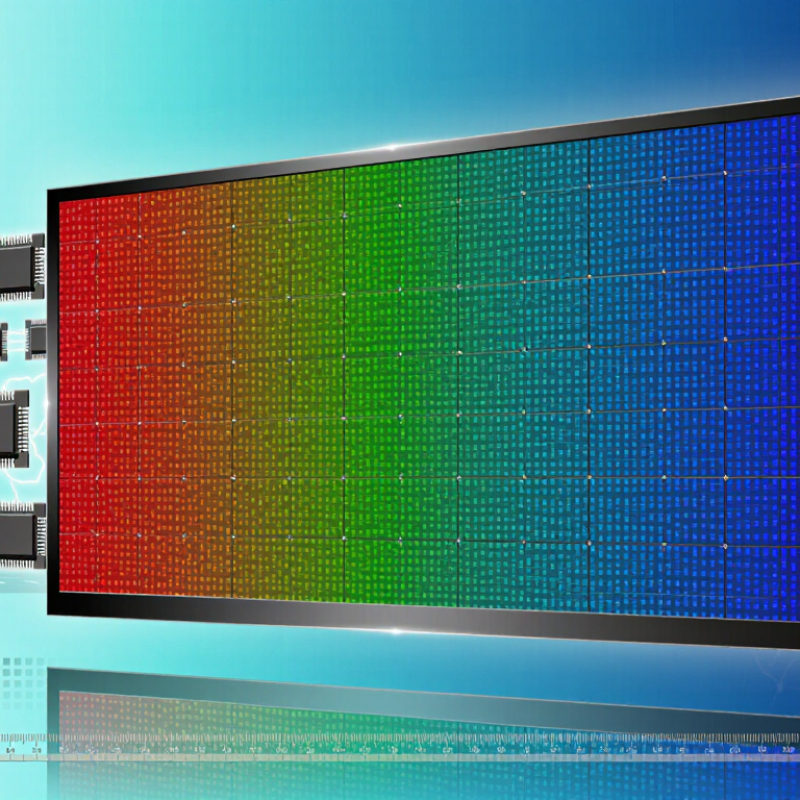
An LED display screen uses many light-emitting diodes to create images, text, and video. Each pixel contains red, green, and blue LEDs. Their brightness levels combine to produce different colors. The screen receives digital signals from a media player or control computer. Driver circuits then tell each pixel when to light and how brightly.

The main components are LED modules, printed circuit boards, driver ICs, power supplies, receiving cards, and a supporting cabinet. LED modules form the visible display surface. Their circuit boards connect the diodes and carry electrical signals. Driver ICs control refresh rate, grayscale, and brightness. Power supplies convert incoming electricity into stable low-voltage power. Receiving cards distribute image data across separate modules. The cabinet protects these parts and supports installation. Ventilation fans or heat sinks may also be necessary, especially outdoors. A technically correct design can still disappoint if heat, moisture, or viewing distance is ignored.

Tips: Check module alignment, cable connections, and power loading before operation. Keep spare modules available for maintenance. Measure brightness in real conditions, not only in a showroom. Small gaps can become obvious. Also, color calibration may need repeating because LEDs age at different speeds. This detail is often underestimated.

How Does an LED Display Produce Images?

An LED display produces images through thousands of tiny light-emitting diodes. Each display pixel contains red, green, and blue sub-pixels. By adjusting their brightness, the pixel can create millions of visible colors. A close inspection reveals a grid of small points, not a continuous picture.

A control system sends image data to the display’s receiving cards. These cards distribute instructions across rows and columns of LED modules. Pulse-width modulation controls how long each diode stays lit during a refresh cycle. Longer pulses create brighter light. Shorter pulses create darker tones. The process happens rapidly, so the eye blends the changing light into smooth images.

Refresh rate matters. A higher rate usually reduces flicker, especially in filmed scenes or slow camera movements. The display also uses grayscale processing to create soft shadows and detailed color transitions. Calibration balances brightness between modules, although slight differences can still appear after long operation. That detail is easy to overlook.

Viewing distance changes the experience. From far away, separate pixels merge into sharp text, faces, and moving graphics. Up close, the pixel structure becomes visible. Environmental light also affects perceived color, so technicians may adjust brightness throughout the day. In real installations, heat, dust, and uneven aging can reduce consistency. LED imaging is precise, but never perfectly static.

What Types of LED Display Screens Are Available?

An LED display screen forms images with thousands of light-emitting diodes. Each diode acts like a tiny pixel element. The screen receives digital signals, controls brightness, and refreshes the image many times per second. Its performance depends on pixel pitch, viewing distance, refresh rate, brightness, and color calibration. In practice, a screen can look impressive in a showroom but appear excessive in a small meeting room.

Several LED display types serve different environments. Indoor fine-pitch displays usually use pixels below 2.5 mm for control rooms, retail spaces, and conference rooms. Outdoor displays often use brighter modules with stronger weather protection, commonly rated around IP65 on the front. Rental displays are lighter and use quick-lock cabinets for temporary events. COB displays place LED chips directly on the board, improving surface protection and reducing visible gaps. Transparent displays allow light through glass, although their contrast can weaken in bright sunlight. Flexible and creative-shaped displays support curved columns, arches, and unusual installations.

Mordor Intelligence projects the global LED display market to grow at roughly 8% annually during its forecast period. The U.S. Department of Energy reports that LED lighting uses at least 75% less energy than incandescent lighting, though display power varies with brightness and content. These figures help, but they do not replace site testing. Pixel pitch advice is often too general. Viewing distance, ventilation, maintenance access, and local sunlight can change the correct choice. The categories overlap. That is easy to forget.

Where Are LED Display Screens Used?

An LED display screen creates images with many light-emitting diodes. Each pixel combines red, green, and blue light at different intensities. A control system sends digital instructions to these pixels. This process produces text, video, movement, and detailed graphics. Brightness, viewing distance, pixel pitch, and refresh rate affect what viewers see.

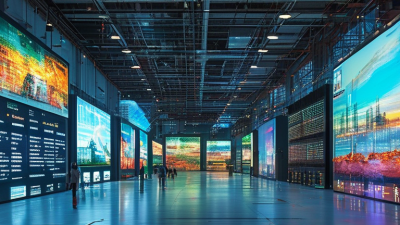
These screens appear in places that need clear information or strong visual impact. Outdoor signs show traffic updates, public notices, and event schedules in changing weather. Transport stations use them for departure times and platform changes. In sports venues, large screens display replays, scores, and sponsor messages. Retail stores use smaller panels near entrances or product displays. Schools, conference halls, museums, and control rooms also use LED walls for lessons, presentations, maps, and live data. The installation should match the environment.

A display near a sunny road needs stronger brightness than one inside a dim hall. Weather protection also matters outdoors. Technicians commonly inspect ventilation, power stability, cable connections, and screen alignment. Poor viewing angles can make colors look uneven. Excessive brightness may distract drivers or strain viewers’ eyes. A practical weakness remains: a high-resolution screen cannot fix weak content. Sometimes a simple, readable message works better than a crowded animation. Site testing can reveal problems that specifications miss.

What Is an LED Display Screen and How Does It Work? - Where Are LED Display Screens Used?

Category Data Dimension Typical Information Description
How It Works Light Source Light-emitting diodes (LEDs) Each diode emits light when electric current passes through a semiconductor junction.
Pixel Structure One or more red, green, and blue sub-pixels Different brightness levels from RGB sub-pixels combine to produce a wide range of colors.
Image Control Receiving cards and display controller Digital video signals are processed and distributed to LED modules for synchronized image reproduction.
Brightness Control Pulse-width modulation (PWM) Rapidly adjusting the on-time of LEDs controls perceived brightness and supports grayscale reproduction.
Construction LED modules, cabinets, power supplies, and control system Multiple modules are assembled into cabinets and connected to form displays of different sizes and shapes.
Refresh Process Repeated image updates per second Higher refresh rates generally reduce visible flicker and improve camera performance.
Typical Technical Characteristics Pixel Pitch Approximately 0.9–20 mm Pixel pitch is the distance between the centers of adjacent pixels. Smaller pitches are generally suitable for closer viewing.
Brightness Indoor: about 400–1,500 nits; outdoor: about 4,000–10,000 nits Brightness requirements depend on ambient light, viewing distance, weather, and whether the screen is installed indoors or outdoors.
Viewing Angle Commonly 120° or wider A wide viewing angle allows audiences positioned away from the centerline to see the content clearly.
Refresh Rate Typically 1,920–3,840 Hz for many modern applications The appropriate refresh rate depends on content type, live-event requirements, and camera use.
Rated Service Life Approximately 50,000–100,000 operating hours Actual life depends on temperature, operating brightness, ventilation, humidity, and maintenance.
Ingress Protection Outdoor products often use IP65 or similar ratings on the front An IP rating indicates resistance to dust and water under defined test conditions; the rating should be checked for each installation.
Power Consumption Varies by brightness, pixel pitch, content, and cabinet design Maximum and average power values should both be considered when sizing electrical infrastructure.
Aspect Ratio and Shape Standard rectangular, curved, flexible, or custom-shaped Modular construction enables displays for architectural features, stages, signage, and unusual installation spaces.
Where LED Display Screens Are Used Advertising and Digital Signage Retail storefronts, roadside advertising, shopping centers, and public information signs Bright, dynamic content can be updated remotely and displayed in daylight or at night.
Sports Venues Scoreboards, perimeter displays, replay screens, and fan information boards High brightness, wide viewing angles, and fast image updates support large audiences and live action.
Concerts and Live Events Stage backdrops, creative visuals, side screens, and broadcast backgrounds Lightweight modular cabinets and flexible configurations allow rapid setup and creative stage designs.
Transportation Airports, railway stations, bus terminals, highways, and parking facilities LED screens provide schedules, route information, safety messages, traffic updates, and navigation guidance.
Corporate and Commercial Interiors Reception areas, meeting spaces, showrooms, and experience centers Fine-pitch indoor displays can present presentations, branding content, data dashboards, and video.
Education and Public Institutions Schools, universities, museums, libraries, and civic buildings Displays support announcements, educational media, event schedules, wayfinding, and public communication.
Broadcast and Control Rooms Television studios, command centers, and monitoring facilities Fine-pitch LED walls provide large, seamless viewing areas for video, dashboards, and real-time data.
Architecture and Entertainment Building facades, themed attractions, exhibition spaces, and immersive installations Custom shapes, transparent panels, and flexible modules can integrate moving images into architectural environments.

Note: Technical values are representative ranges for general LED display applications. Actual specifications vary according to display design, installation environment, operating conditions, and configuration.